Related products
- Accessories, Stripper, Crimping Tool & Cutter
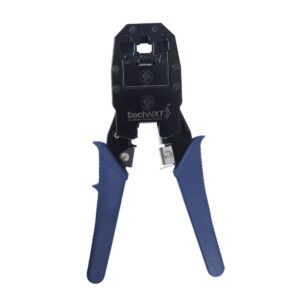
Crimping Tool – techNXT Gold
Features
• Portable Style With Perfect Shape.
• It Won’t damage the shelled-wire and works with high efficiency.
• The Mouth of the press-pliers is made of magnanic steel, which is hard and durable.
• While using press-pliers, just insert the cystal top into its position and press it.
• For 4,6,8 poies mudular connector.SKU: n/a - Accessories, Stripper, Crimping Tool & Cutter
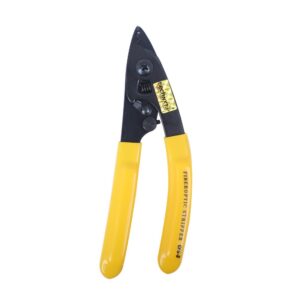
Fiberoptic Stripper – CFS-2
Features
- Fiberoptic Stripper features precise two stripping holes perform all common fiber stripping functions and guarantee accurate stripping without damage.
- Strips the 1.6-3.0mm fiber jacket down to the 600-900 micron buffer coating.
- Strips the 600-900 micron buffer coating down to the 250-micron coating.
- Strips the 50-micron cable down to the glass fiber without nicks or scratches.
- For Stripping 125 Micron fiber with 250-micron buffer coating.
SKU: n/a - Accessories
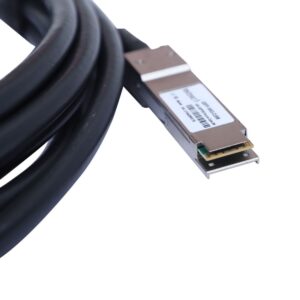
100 G DAC cable 5 mtr
Features
- 10G SFP+ Cable can connect switch, router, server, NIC, or other fiber optic equipments with SFP+ ports for Network Attached Storage, Storage Area Network, and High Performance Computing.
- Widely compatible with Cisco, Ubiquiti, D-link, Supermicro, Netgear, Mikrotik, ZTE, Quanta, Solarflare, PaloAlto, F5, Open Switch, etc devices.
- Attach Copper Cable, Customized sevice also is available.
SKU: n/a - Accessories, Stripper, Crimping Tool & Cutter
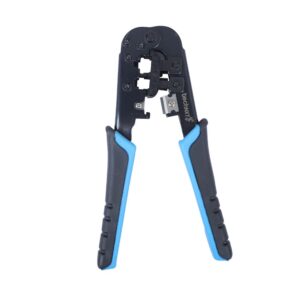
Crimping Tool – TnT-5000
Features
- Cutting Modular Cable:- Place the single-bladed side of the tools cutter facing you and cut the modular cable to the desired legth. Make sure to cut the ends of the cord straight across, not diagonally.
- Stripping modular cable (Flat Cable):- 2a. Insert 4P/6P cable into the two-bladed side of the tool’s stripper unti it touches the stop guide.
- Insert 8P/cable into the two-bladed side of the tool’s stripper and let it extend a little past the lower cut blade.
- Squeeze handles until it stops, cable must be kept perpendicular and then pull from the tool.
Stripping Round Cable - Insert the cable into the round stripping hole, and turn the crimper in a counter-clockwise direction and the cable clockwise at the same time.
- Remove the outer jacket, insert the stripped cable into the plug, and be sure the left wire at one end matches the right wire at the other end.
- Place a modular plug with cable into the tools holder. Be sure the stripped wire is between the tab and gold contacts. Squeeze handles until it stops.
- The 4P holder is located on the back side of the tool.
SKU: n/a